5 AI Prompting Secrets That Go Way Beyond the Basics
Introduction: From Frustration to Finesse
If you've ever felt like generating AI images is like pulling the lever on a slot machine, you're not alone. You type in a prompt, hit "Generate," and hope for the best, but the results are often generic, inconsistent, or just plain weird. This "guessing game" can be frustrating, especially when you have a clear vision in mind.
While common advice like "be more specific" is a good start, true creative control comes from understanding how these powerful models actually "think." We've distilled extensive research from professional guides and technical documentation into five game-changing secrets that will elevate your prompting skills from beginner to expert.
1. Think Like an Engineer, Not a Poet
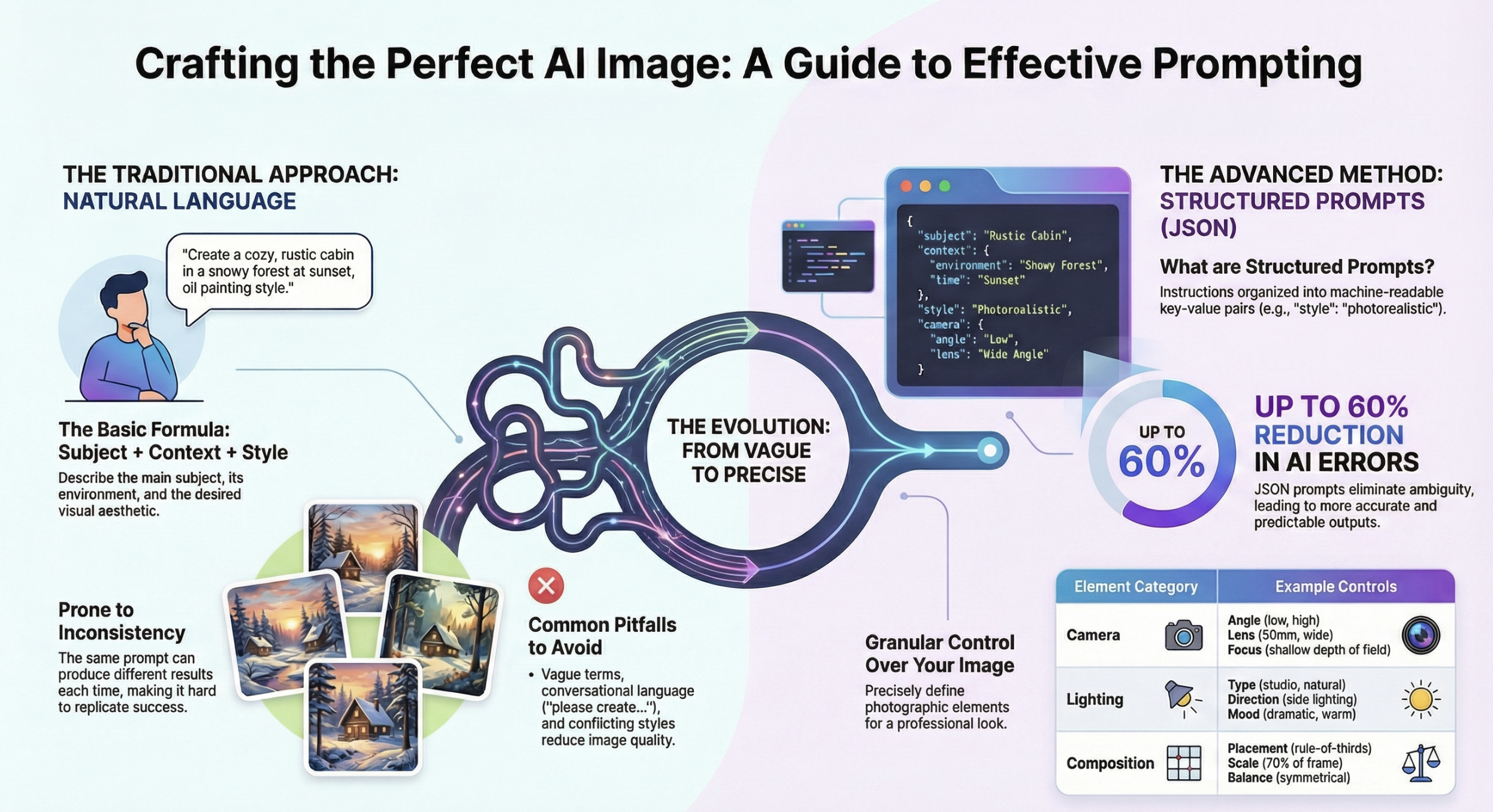
The single biggest leap in prompting skill comes from a mental shift: stop writing creative, conversational sentences and start building a structured data blueprint. This is the difference between approaching the AI as a poet and approaching it as an engineer.
This structured method, often resembling JSON (JavaScript Object Notation), provides the AI with absolute clarity and eliminates the ambiguity that causes it to make mistakes. The guide from AI Fire offers a perfect analogy:
Regular prompts are like telling a chef, “Cook me dinner.” ... JSON prompts are like giving that same chef a detailed recipe.
This works because AI models are trained on massive amounts of the internet, which includes highly structured data like code repositories, API documentation, and configuration files. They respond naturally to this format because, in a way, it's their native language.
See the difference for yourself:
Natural Language Prompt:
"A beach at sunset with a person walking along the shore."Structured (JSON-style) Prompt:
This shift from "requesting" an image to "instructing" the model is the first step toward gaining true creative control. Now that you're structuring your prompts like an engineer, let's apply that precision to a common artistic challenge: making human faces look real.
2. Defeat the Uncanny Valley by Asking for Flaws
One of the most common complaints about AI-generated people is the "plastic face" or "doll-like" problem. Faces often look unnaturally smooth, symmetrical, and lifeless, falling deep into the uncanny valley.
This happens because models are trained on countless heavily retouched and idealized photographs. They learn to replicate an inhuman perfection, erasing the subtle details that make a face look real.
The solution is counter-intuitive: you must explicitly ask the AI for the very imperfections it tries to smooth away. By prompting for the flaws that define a real human face, you force the model to pull from more natural-looking data.
For your next portrait, try adding these keywords:
For natural skin: Use terms like
detailed skin texture,visible pores,freckles, orslight blemishes.For living eyes: Add the phrase
catchlight in eyesorlight reflecting in eyes. This creates the small reflection of a light source that makes a subject appear more alive, avoiding the dreaded "dead eyes" look.
This is an incredibly powerful technique because it counteracts the model's default tendency to produce an airbrushed, artificial aesthetic.
3. You're Using Negative Prompts All Wrong
The negative prompt box seems simple—just list what you don't want. However, most users make two critical mistakes that render it ineffective.
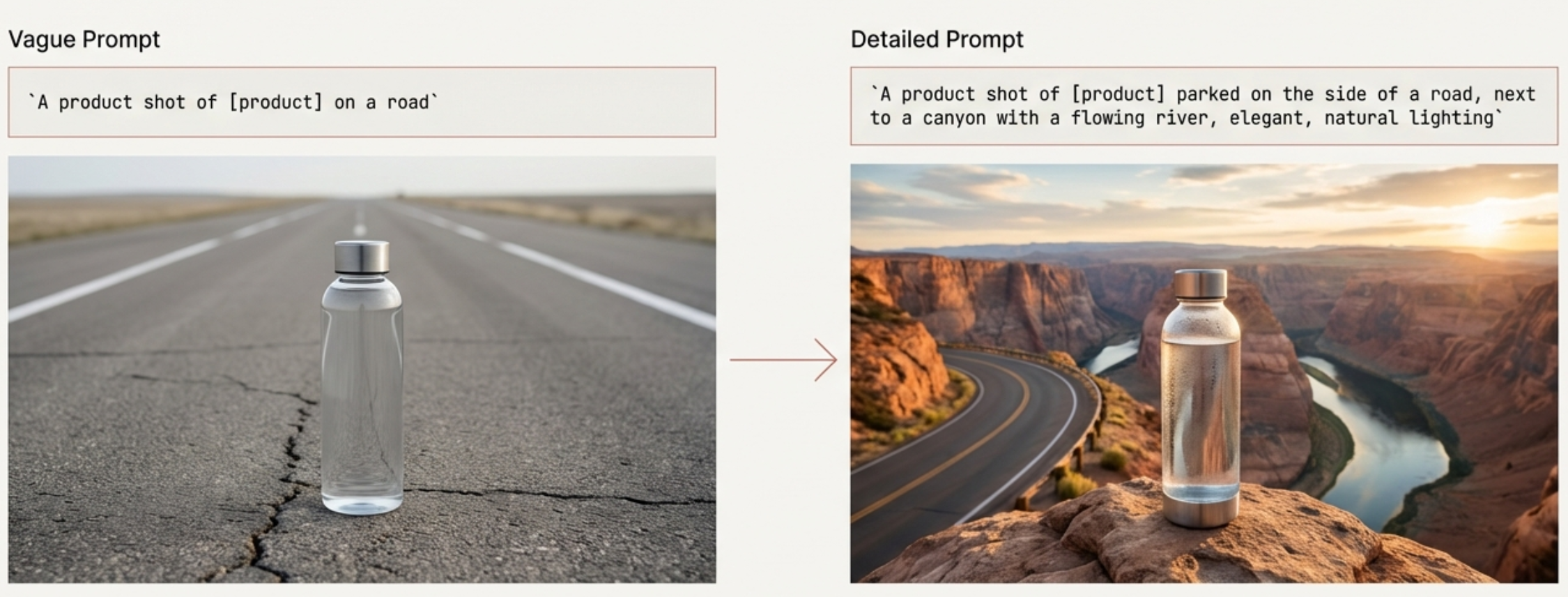
Mistake #1: Negating instead of replacing. Telling an AI what not to do is far less effective than describing the positive state you want to see. For instance, prompting for "a room" and adding "furniture" to the negative prompt can confuse the model. A much better approach is to use a positive prompt for "an empty room."
Mistake #2: Using instructive language. This is a surprising but crucial rule. The negative prompt field is not a command line; it's a list of concepts to avoid. It works best when you simply list keywords, not when you give it orders. The negative prompt field doesn't understand grammar or instructions; it acts as a filter, steering the generation away from the raw concepts and styles you list.
4. Control Your Concepts with Simple Math
When you have multiple subjects in a scene, how do you tell the AI which one is more important? The answer is "prompt weighting," an advanced technique that lets you control the influence of different words using simple math. This is the next level of "instructing" the model, allowing you to assign specific priorities within your data blueprint.
There are two common syntaxes for applying weight:
Symbol-based: Many platforms use
+to increase a word's weight and-to decrease it. For example,apple+++ pieinstructs the model to create a pie with a much stronger "apple" concept.Number-based: A more precise method uses parentheses and a colon to assign a numerical weight. The default is 1.0. To emphasize a concept, use a higher number like
(trench coat:1.5). To de-emphasize something, use a lower number like(background:0.5).
Symbol-based weighting is great for quick, intuitive adjustments, while number-based weighting offers the precise, granular control needed for fine-tuning complex scenes. This gives you granular control to fine-tune the balance between concepts in a complex image without having to rewrite the entire prompt. But use it with care. As the getimg.ai guide warns:
The more weight you add, the greater the risk of lower quality there is.
5. Your Prompt Is Just the Tip of the Iceberg
The text prompt gets all the attention, but it's only one of many levers controlling the final image. Most platforms and APIs expose powerful technical parameters that give you an incredible amount of control, yet most users overlook them entirely.
Here are three of the most impactful "hidden" parameters to master:
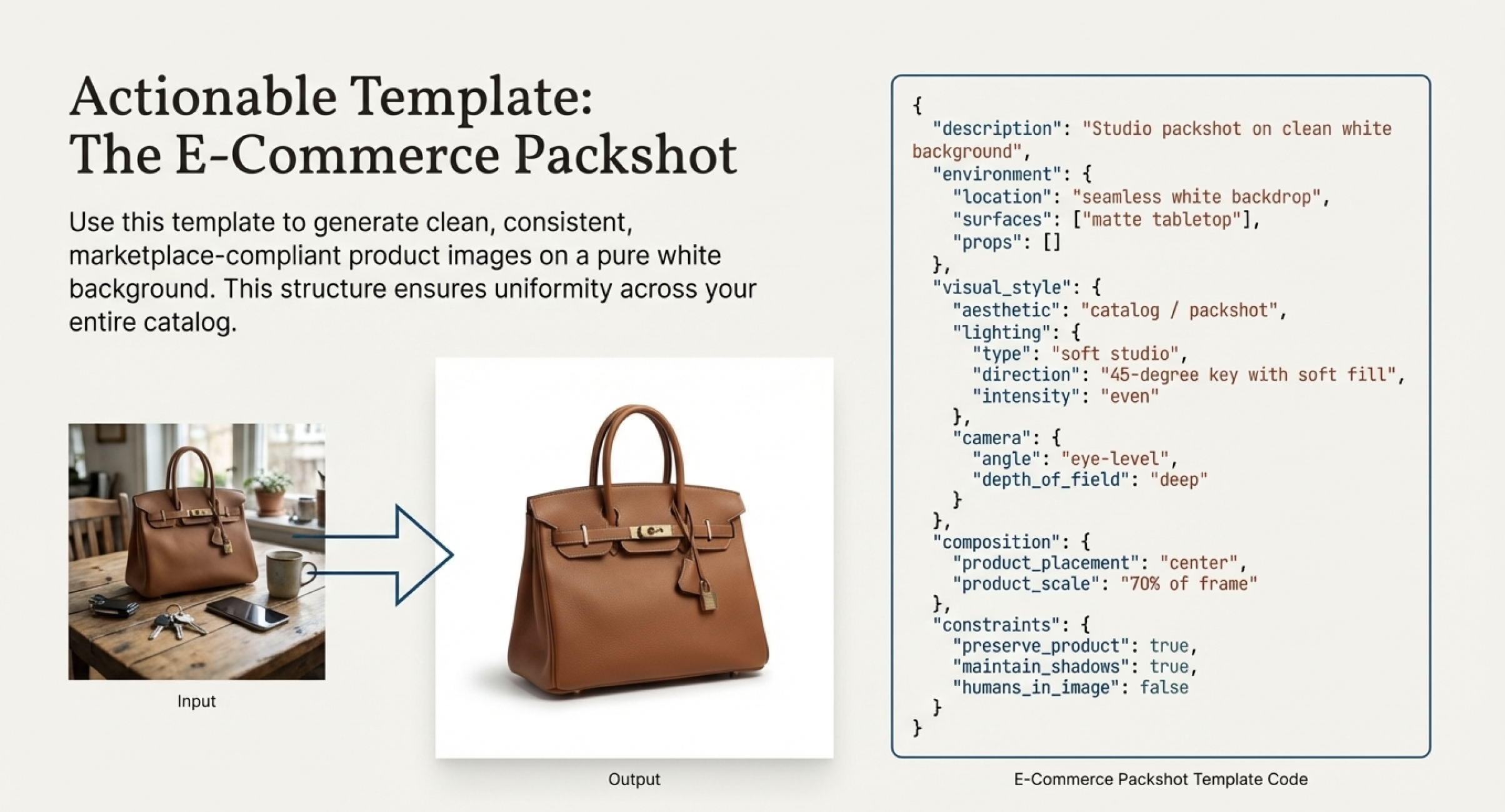
Seed: This is an integer that controls the initial noise pattern the image is generated from. Its power is in reproducibility. Using the same prompt with the exact same seed will produce a nearly identical image every time. This is the key to consistency and making small, iterative changes to a prompt to see their precise effect.
Steps: This parameter determines the number of refinement iterations the model performs while generating the image. More steps can add detail and improve quality, but the effect has diminishing returns and increases generation time. When heavily weighted prompts produce artifacts, sometimes the solution isn't to reduce the weight, but to increase the number of
stepsto give the model more time to resolve the complex instruction.Guidance Scale (or CFG Scale): This number controls how strictly the AI must follow your prompt. Think of Guidance Scale like a leash on a dog. A low value is a long, loose leash, letting the AI wander and explore creatively. A high value is a short, tight leash, forcing the AI to walk exactly where you command.
These parameters are the tools that allow you to move from simply hoping for a good result to actively engineering one with precision and repeatability.

Conclusion: Your Vision, Engineered
Mastering AI image generation isn't about finding magic words. It's about shifting your mindset from making vague requests to giving structured, intentional instructions. By understanding how the models process information, you can move beyond the "slot machine" and start creating with purpose.
You now have the blueprint of an engineer and the vision of an artist. Go build something extraordinary.
